
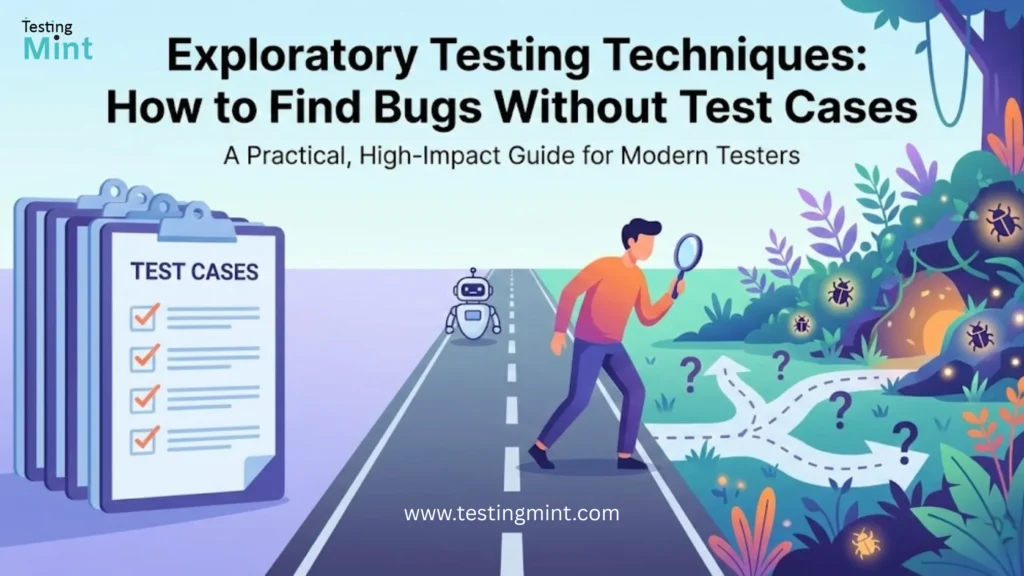
Every tester has felt this frustration:
All your scripted test cases pass… yet users still find critical bugs in production.
Why does this happen?
Because scripted testing checks what we already expect to happen.
But real users behave unpredictably. They explore, experiment, and try things we never wrote test cases for.
This is where Exploratory Testing becomes your superpower.
And no, exploratory testing is NOT random clicking.
It is simultaneous learning, thinking, designing, and executing tests with intention, creativity, and skill.
Key Takeaways (What You’ll Learn)
- What exploratory testing truly is (and isn’t).
- Top 3 techniques used by senior testers to uncover hidden bugs.
- When to use exploratory testing in Agile projects.
Exploratory vs Ad-Hoc Testing
Exploratory Testing ≠ Random Testing
Many people confuse exploratory testing with chaos.
Ad-hoc Testing:
- No structure
- No mission
- No documentation
- Just clicking around
Exploratory Testing:
- Structured
- Guided by goals/charters
- Time-boxed
- Documented
- Intellectually engaged
A good exploratory tester is the test case, not bound by written steps, but guided by skill, experience, and curiosity.
The Tester IS the Test Case (Mindset Shift)
Exploratory testing requires:
- Rapid learning
- Creative thinking
- Constant observation
- Questioning assumptions
- Trying unexpected flows
You’re not following a script; you’re discovering the script by interacting with the product as a curious user.
Exploratory Testing Techniques (The Meat)
Below are the three cornerstone techniques every modern tester should master.
1. Session-Based Test Management (SBTM)
Session-Based Test Management (created by James & Jon Bach) brings discipline and repeatability to exploratory testing.
What is SBTM?
A structured framework that organizes exploratory testing in time-boxed sessions with a clear mission.
Key Components:
A. Test Charter (Your Mission)
A test charter defines what you are trying to learn.
Examples:
- “Explore login errors caused by invalid inputs.”
- “Evaluate coupon application behavior during checkout.”
- “Investigate performance delays on product listing page.”
Charters guide your exploration without restricting it.
B. Time-boxing
- Typical session length: 30 to 120 minutes
- No distractions.
- One mission per session.
Time-boxing keeps focus and prevents “wandering exploration.”
C. Debriefing
After each session, the tester meets with the QA lead to discuss:
- What was tested
- What was found
- What risk areas remain
- What next session should cover
SBTM produces measurable, reviewable, and auditable exploratory test results.
2. Test Heuristics & Mnemonics
Heuristics are thinking tools that help testers explore systematically and avoid blind spots.
Two of the most popular:
A. SFDPO (Structure, Function, Data, Platform, Operations)
Use SFDPO to examine the same feature from five angles.
Structure:
What components make up the feature?
Example: Fields, labels, buttons on a signup form.
Function:
What should it do?
Example: Validate email format, send OTP, store user data.
Data:
What data inputs can break it?
- Empty
- Invalid
- Boundary
- Large
- Special characters
Platform:
How does it behave on:
- Different browsers
- Devices
- OS
- Network types
Operations:
What real-world scenarios affect usage?
- High traffic
- Multi-user transactions
- Concurrency
- Background processes
B. RCRCRC (Repeatability, Consistency, Reasonableness, Comparability, Reviewability, Claims)
Use this to validate system behaviors:
- Repeatability: Does it behave the same way twice?
- Consistency: Is behavior consistent with similar modules?
- Reasonableness: Does it make logical sense?
- Comparability: How does it compare with competitors?
- Reviewability: Can you trace the logic?
- Claims: Does it match what the product claims to do?
Heuristics prevent tunnel vision and keep your exploration systematic.
3. Exploratory Testing Tours (James Whittaker)
One of the most fun and powerful techniques. Whittaker uses travel metaphors to guide exploratory sessions, Here are the most useful ones:
A. The Supermodel Tour (UI Review)
Focus only on the appearance of the application.
Ask:
- Is it visually appealing?
- Are elements aligned?
- Is spacing consistent?
- Are icons/intents clear?
Apply to login page:
- Does password field align with username field?
- Is “Forgot Password” readable?
- Does the login button look clickable?
B. The Couch Potato Tour (Minimal Interaction)
Test the app with as little interaction as possible.
Examples:
- Idle on checkout page for 20 minutes.
- Open app and do nothing – does a session expire?
- Tap once, then wait.
You find:
- Timeout issues
- Auto-refresh bugs
- Notification failures
C. The Money Tour (Critical Revenue Flow)
You explore the most financially important paths.
Example in e-commerce:
- Add to cart
- Apply coupon
- Use wallet + card
- Change address
- Complete payment
These are the flows with highest business risk.
D. The Data Tour (Push Boundaries)
Focus only on data inputs and variations.
Example for checkout:
- Invalid pincode
- 100-character address
- Emoji in name
- Large quantities
- Zero quantities
Tours turn aimless testing into purpose-driven discovery.
Example: Exploratory Testing an E-commerce Checkout Page
Imagine you have 30 minutes to explore checkout without test cases.
Here’s what a senior tester would do:
Charter:
“Explore edge-case behaviors in checkout payment flow.”
Timer:
30 minutes.
Start Exploring:
1. Vary item quantities
- Add 0 items
- Add 99 items
- Add decimal quantities
- Add items till stock finishes
Bug Found: Cart accepts 0 quantity – order total becomes negative.
2. Break coupon system
- Apply same coupon twice
- Apply coupon, then change address
- Apply coupon, then change quantity
Bug Found: Coupon remains applied even if cart value drops below minimum.
3. Payment interruptions
- Close browser during redirect
- Press back button
- Switch network (WiFi → Mobile data)
Bug Found: Payment success screen shows “Order Confirmed” even though payment failed.
4. Address edge cases
- Emoji in address
- Missing city
- Extra-long pincode
- Change address after payment initiated
Bug Found: App crashes on emoji input.
5. Multi-device behavior
- Open cart on mobile + desktop simultaneously
- Remove item on one device, refresh the other
Bug Found: Desktop shows outdated total; no sync.
This single session uncovers bugs scripted test cases never considered.
Scripted Testing vs Exploratory Testing
| Feature | Scripted Testing | Exploratory Testing |
|---|---|---|
| Based On | Written test cases | Tester creativity & skill |
| Purpose | Confirm expected behavior | Discover unknown issues |
| Flexibility | Low | High |
| Documentation | High | Lightweight (charters/notes) |
| Best For | Regression, compliance | New features, unclear requirements |
| Skill Required | Moderate | High |
| When Bugs Are Found | Expected bugs | Hidden, edge-case bugs |
FAQ: Exploratory Testing
1. What is the difference between exploratory testing and scripted testing?
Scripted testing follows predefined test cases, ensuring coverage of expected behaviors. Exploratory testing involves simultaneous learning and execution, allowing testers to uncover unexpected bugs. Scripted testing is predictable, exploratory testing is creative, adaptive, and ideal for finding edge-case issues.
2. When should exploratory testing be performed?
Exploratory testing is ideal during early feature development, when documentation is incomplete, during time crunches, in high-risk areas, or after major UI/UX changes. It can also be used after regression cycles to uncover hidden issues missed by scripts.
3. Do we need documentation for exploratory testing?
Yes – but lightweight. Exploratory testing requires charters, notes, or session reports, not detailed step-by-step cases. The documentation supports accountability, reproducibility, and communication with stakeholders while keeping testers free to explore creatively.
4. Can exploratory testing be automated?
No. Automation can execute predictable scripts, but exploratory testing relies on human intuition, creativity, and real-time decision-making. Automation can support exploratory testing, but it cannot replace it.
Conclusion
Exploratory testing is where human creativity beats automation.
It catches bugs no script can predict, strengthens product quality, and gives testers a deeper understanding of the system.
If you want to elevate your testing career, learn to think beyond the test case and explore like a user.